Widgets
Screen widgets are features that add more functionality to document pages, with a user-friendly and intuitive interface.
Chart
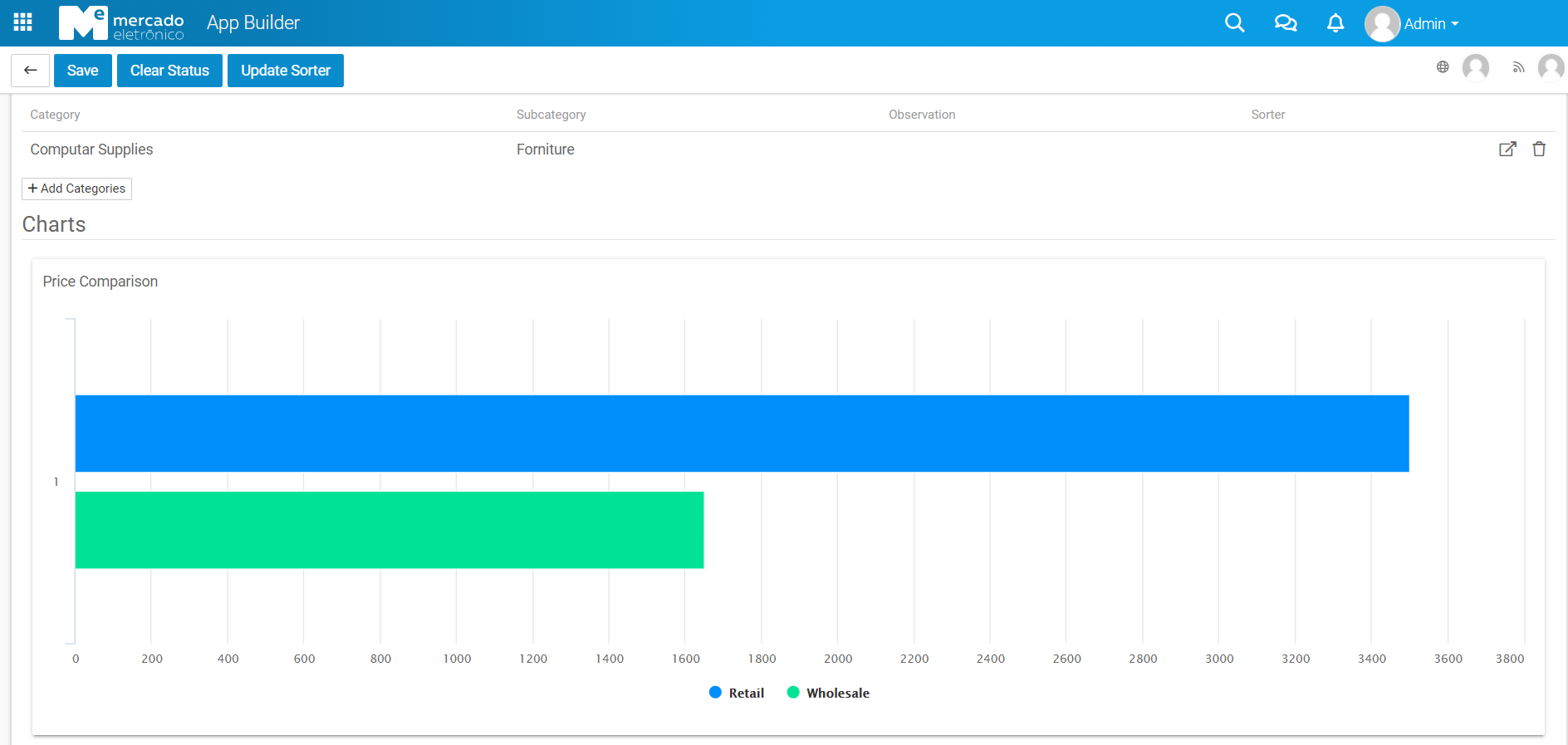
The Graph Widget will display the document data in different types of charts, according to the selected options.
Four types of charts are available for selection:
- Area
- Bar
- Line
- Column
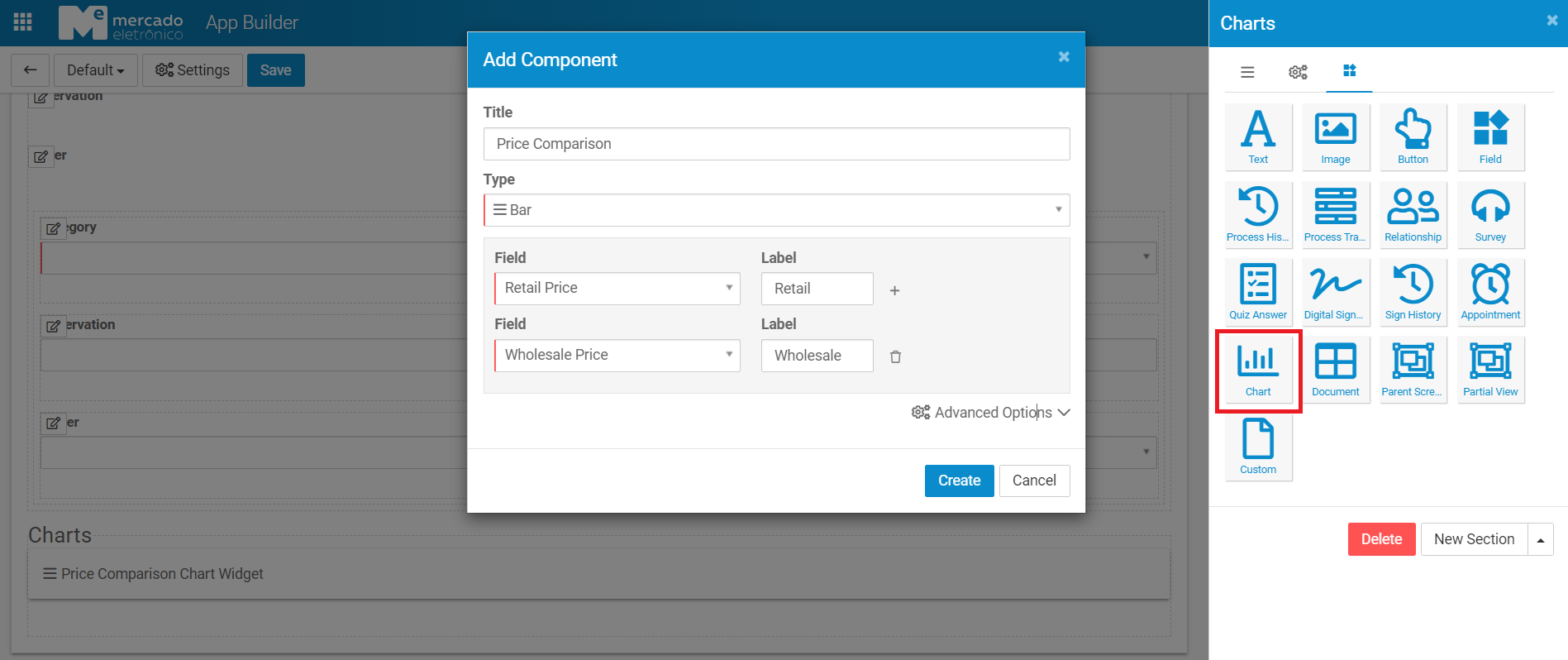
The widget settings is composed of the following fields:
| Fields | Description |
|---|---|
| Title | (Optional) Text used as title of the chart |
| Type | Type of the chart |
| Field | List of document fields to display in the chart |
| Label | Label of the selected field |
The "Advanced Options" is available for Bar and Column chart types, with the following fields:
| Fields | Description |
|---|---|
| Stacking | Display values in a stack. The type may be set as "Normal" or "Percentage" |
| Show Data Label | Display the data labels in the stack |
The graph will be displayed in the screen section of the document page where the widget was inserted and using the filled settings.